Earthly
ROLE
Lead UI Engineer & Lead UX Designer
Timeline
2021 — 2024
Earthly is a CI/CD platform that started as an open-source CLI. As adoption grew, the company set out to build a SaaS product and brought me on to design and implement the web app.
I studied the product and its users, then designed a task-oriented interface that extended the CLI to the web—with clear flows, faster time to value, and many new features a CLI can't provide.
Key Contributions
UX
Design
Visual
Design
UI
Engineering
90k+
LOC
Technologies


'%3e%3c/path%3e%3c/g%3e%3c/svg%3e)


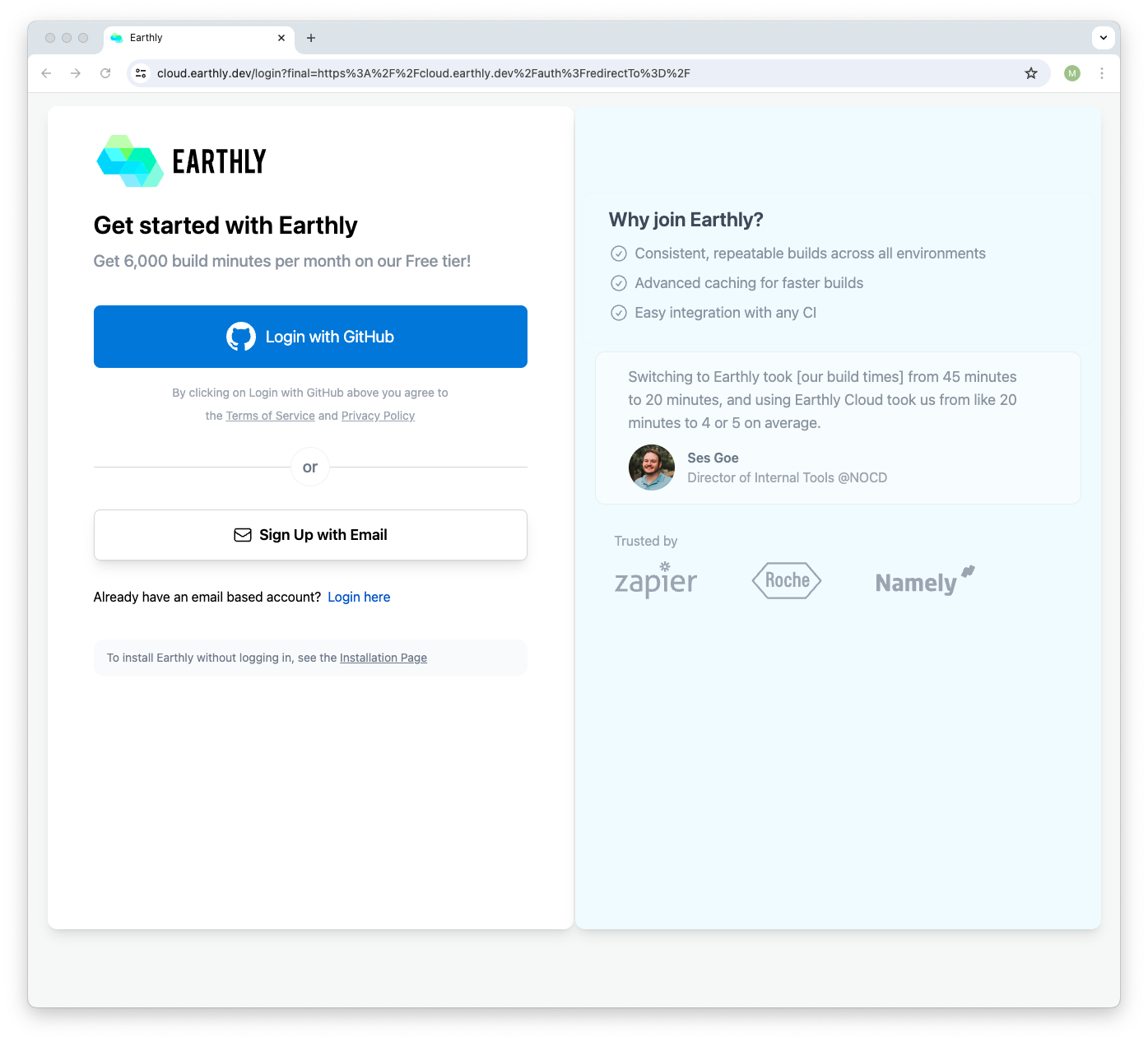
Onboarding
Challenge
Earthly's technical depth and extensive documentation made first-time setup slow, often 30 to 60 minutes of reading, which is too long for a SaaS web app.
Approach
Reduce time and cognitive load by breaking onboarding into clear, goal-oriented paths that map to real user tasks.
Solution
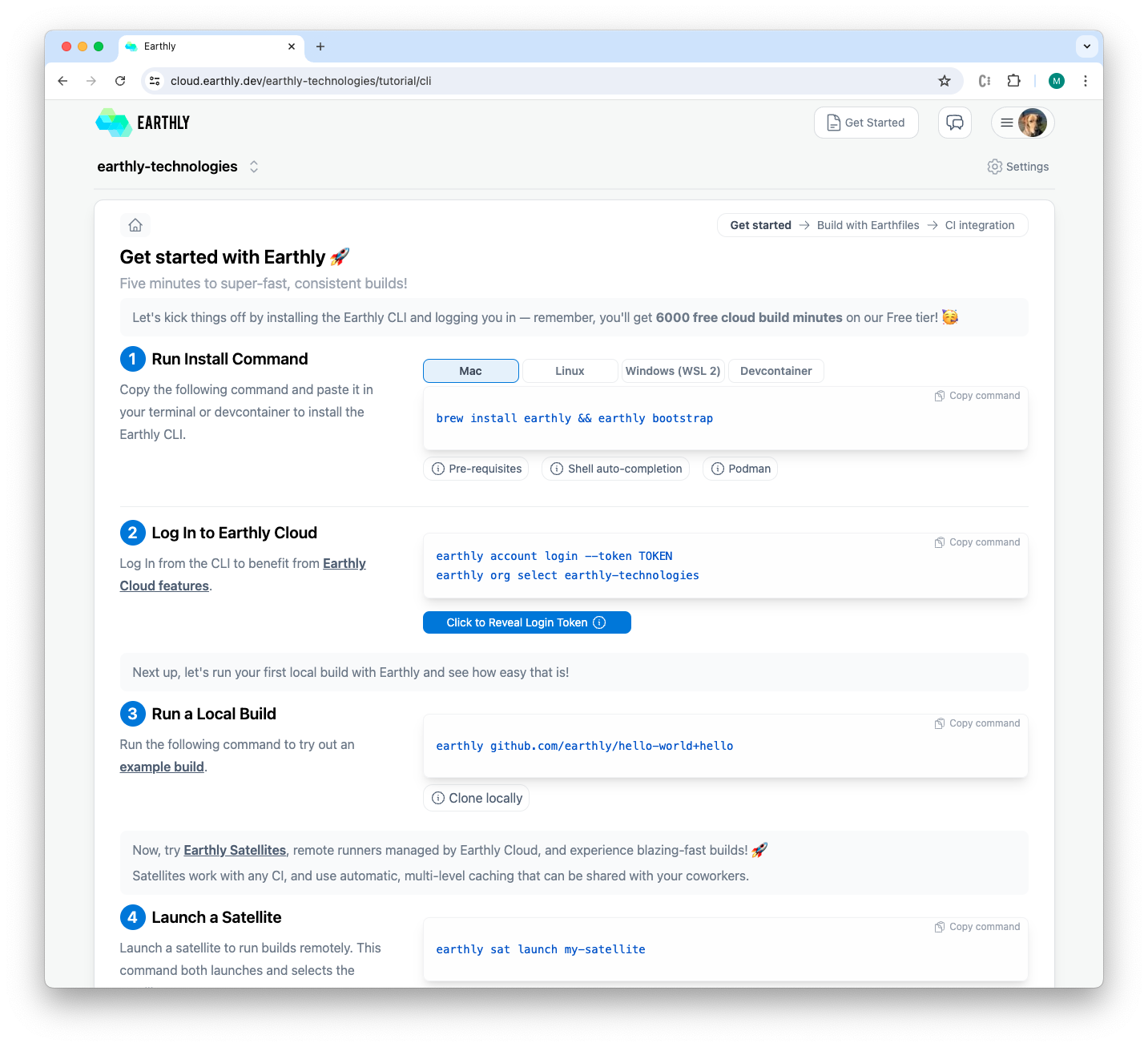
- CLI quick start: install and run a first project in about a minute for an early win.
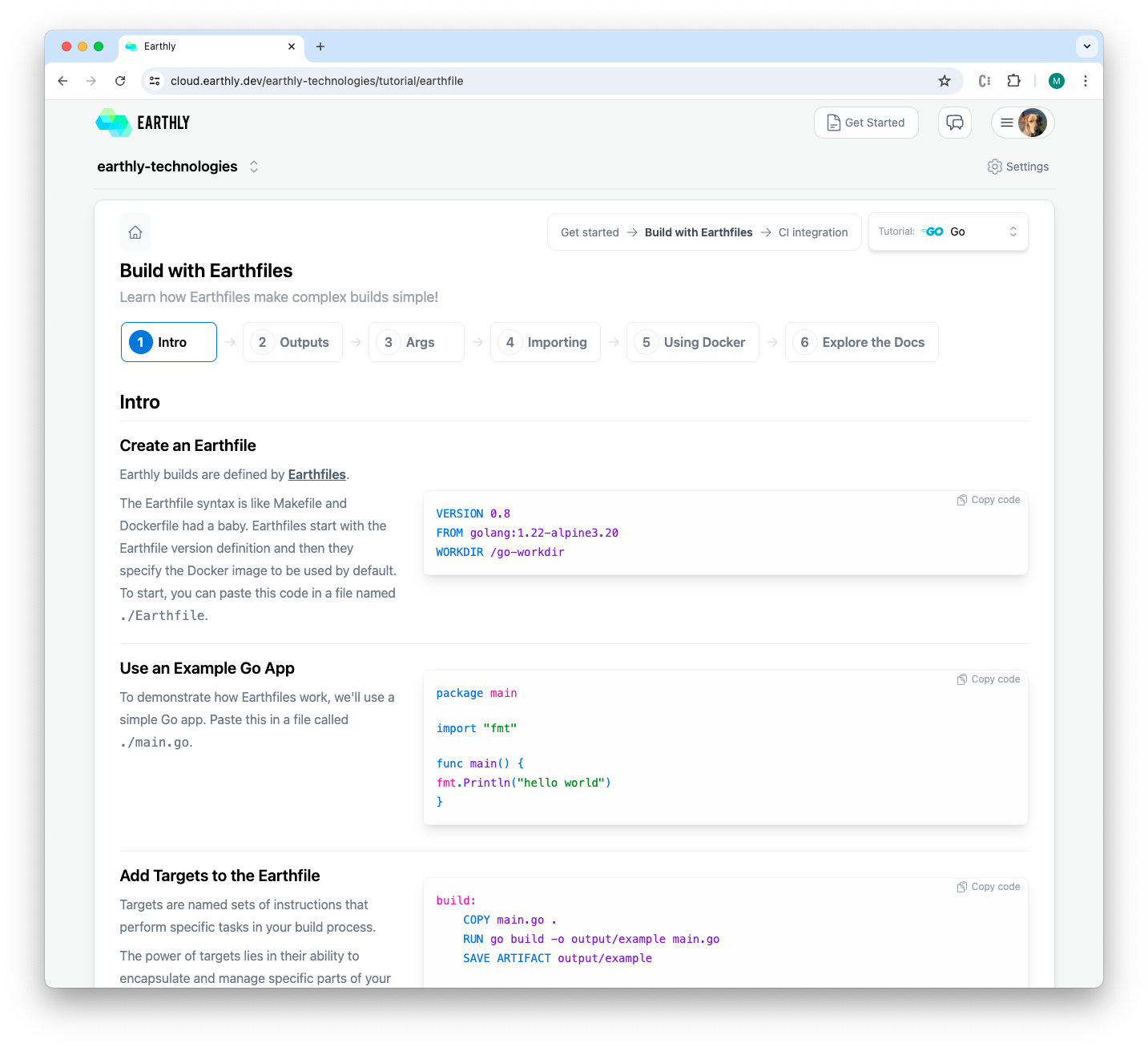
- Focused 6-step Earthfile tutorial: learn essentials in minutes instead of hours in the docs.
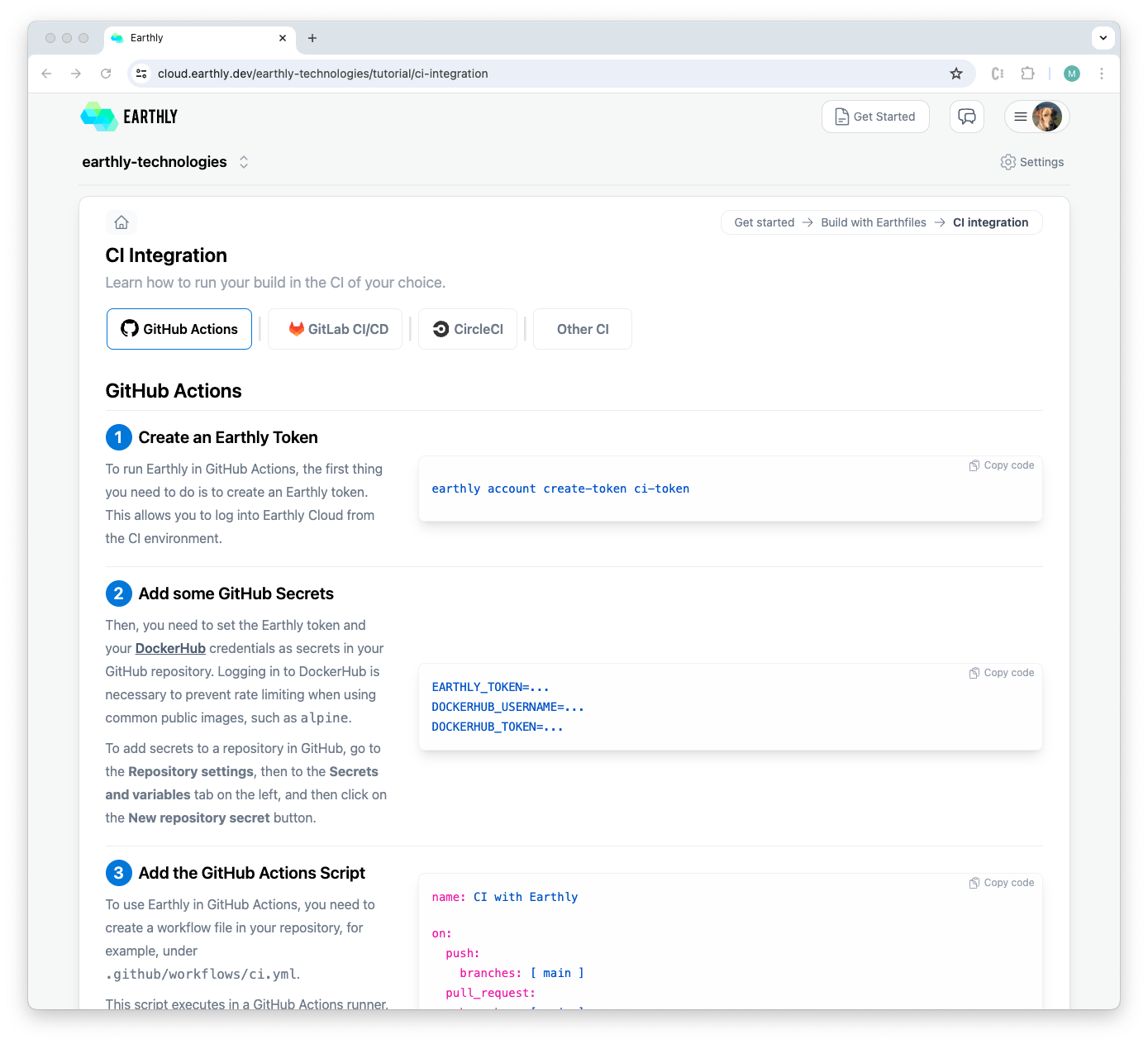
- CI integration guides: provider-specific, step-by-step instructions so users can follow exact steps for their setup.
- Make all onboarding content JSON-driven so engineers can refine wording and steps without UI changes, and the app renders it correctly every time.
Outcome
Users can choose their path, grasp key benefits quickly, and get to a running build faster. Multiple customers gave very positive feedback, including “one of the best onboarding experiences.”.
Dashboard
Challenge
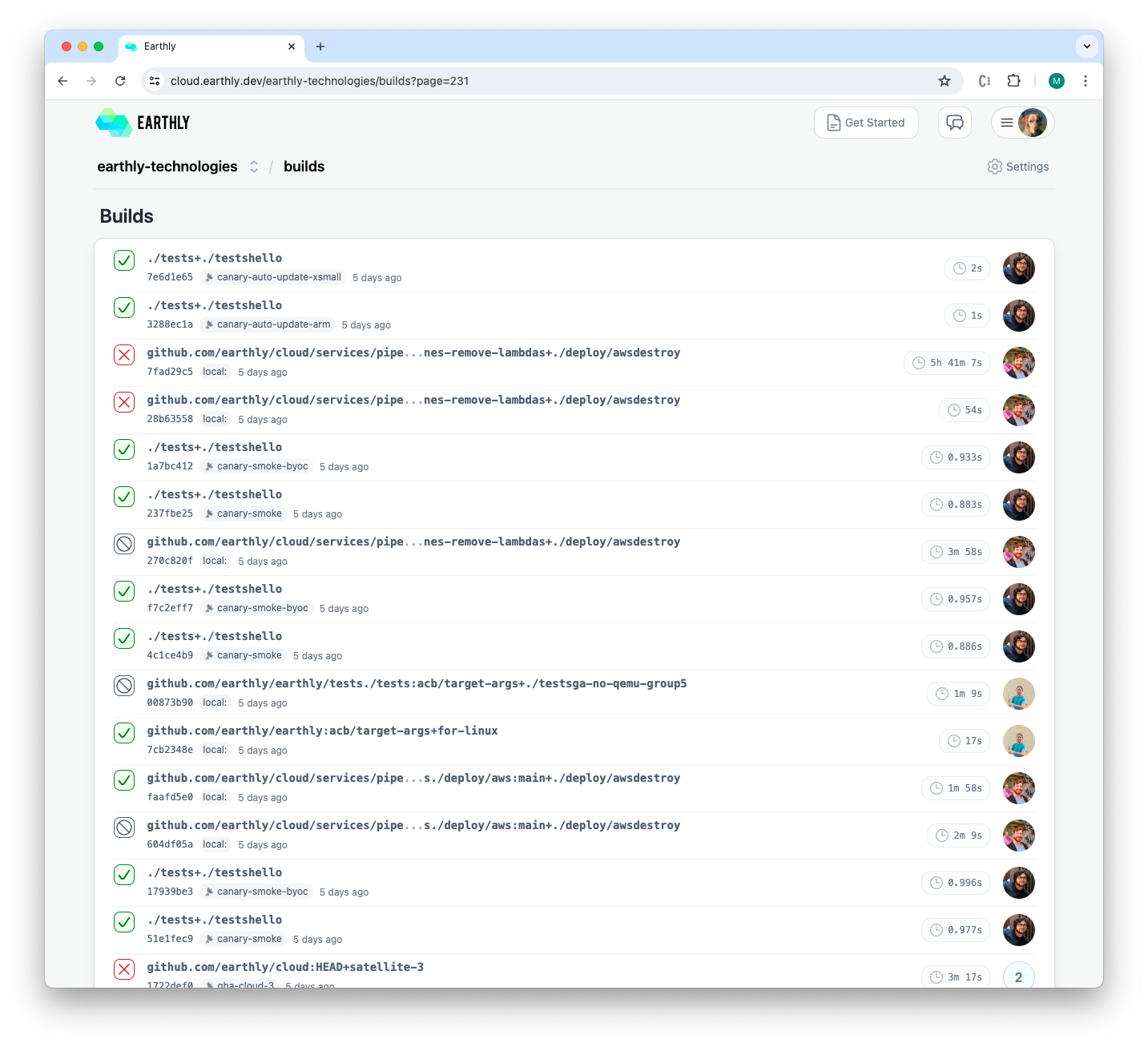
Users needed a clear operational view: which builds are active now, what recently ran, and which satellites (cloud machines) are available.
Approach
Keep the information model simple and surface what matters at a glance, with progressive detail on hover or click.
Solution
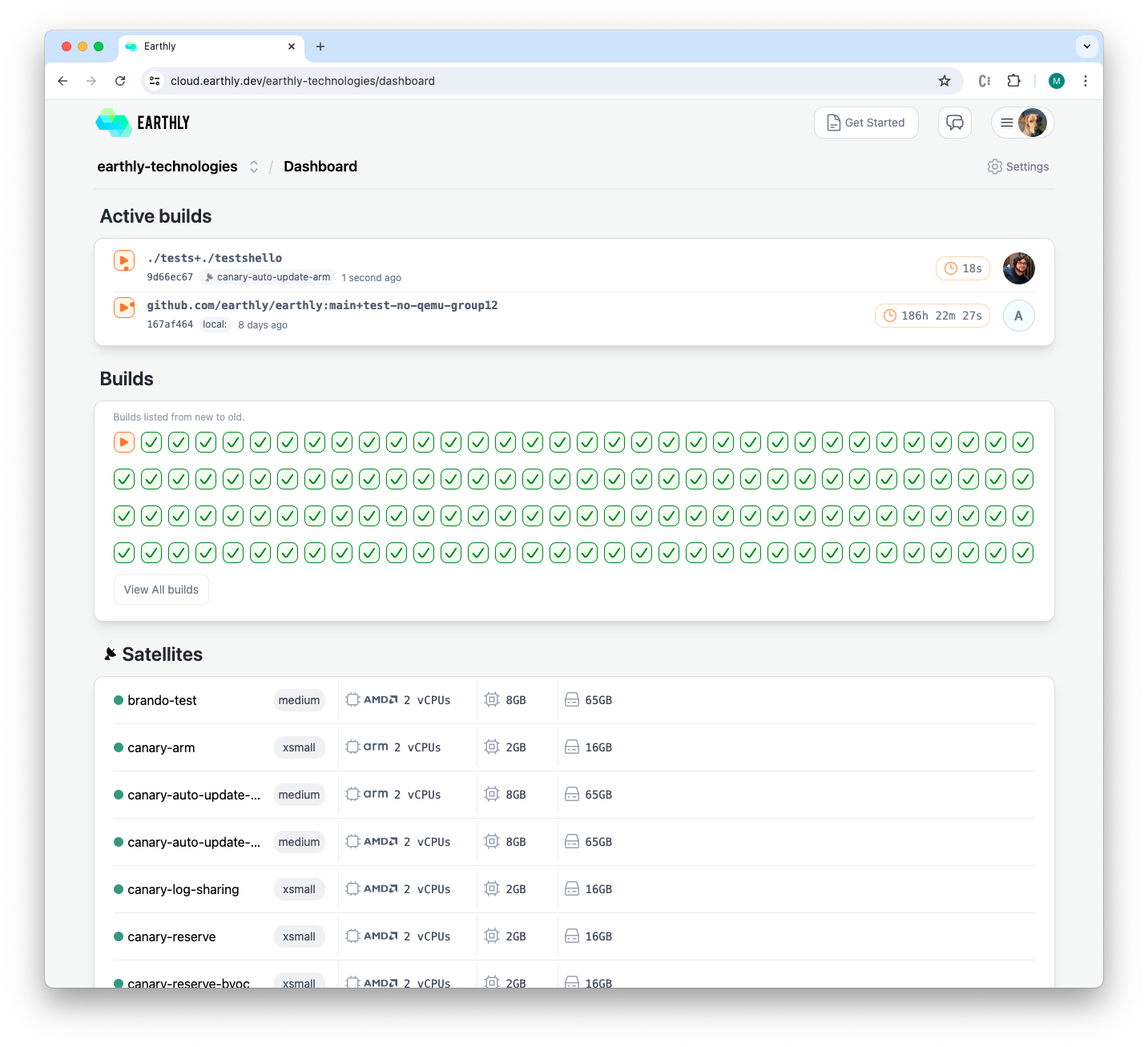
- Active Builds panel appears only while builds are running and hides when idle.
- Builds list with hover details for quick inspection.
- Satellites panel shows which machines are available, in use, and their status.
- Header includes links to Slack and a persistent Get Started shortcut for quick access to tutorial sections.
Outcome
A clean, focused dashboard that kept users oriented and reduced effort to find status and next steps.


Build Details
Challenge
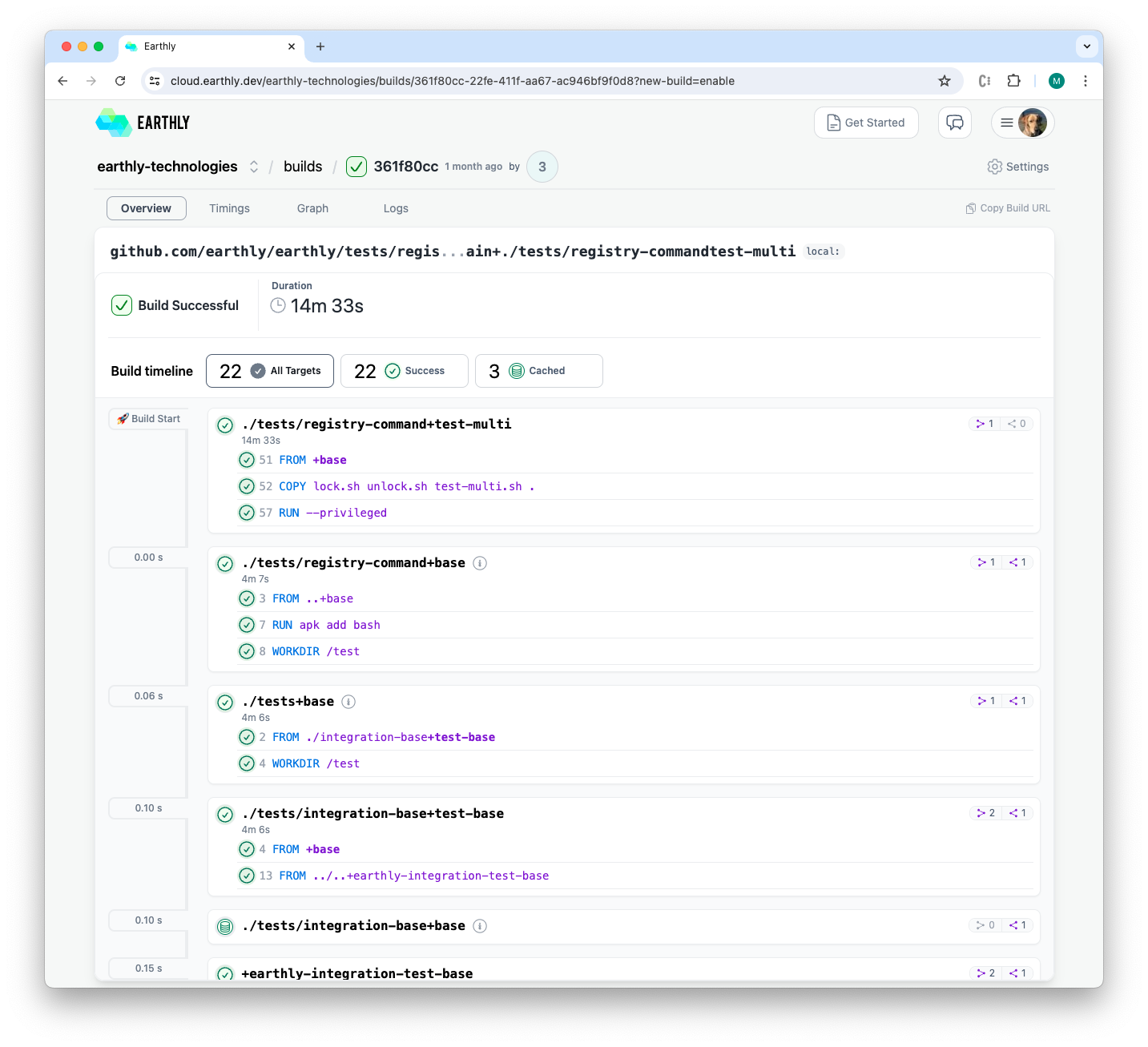
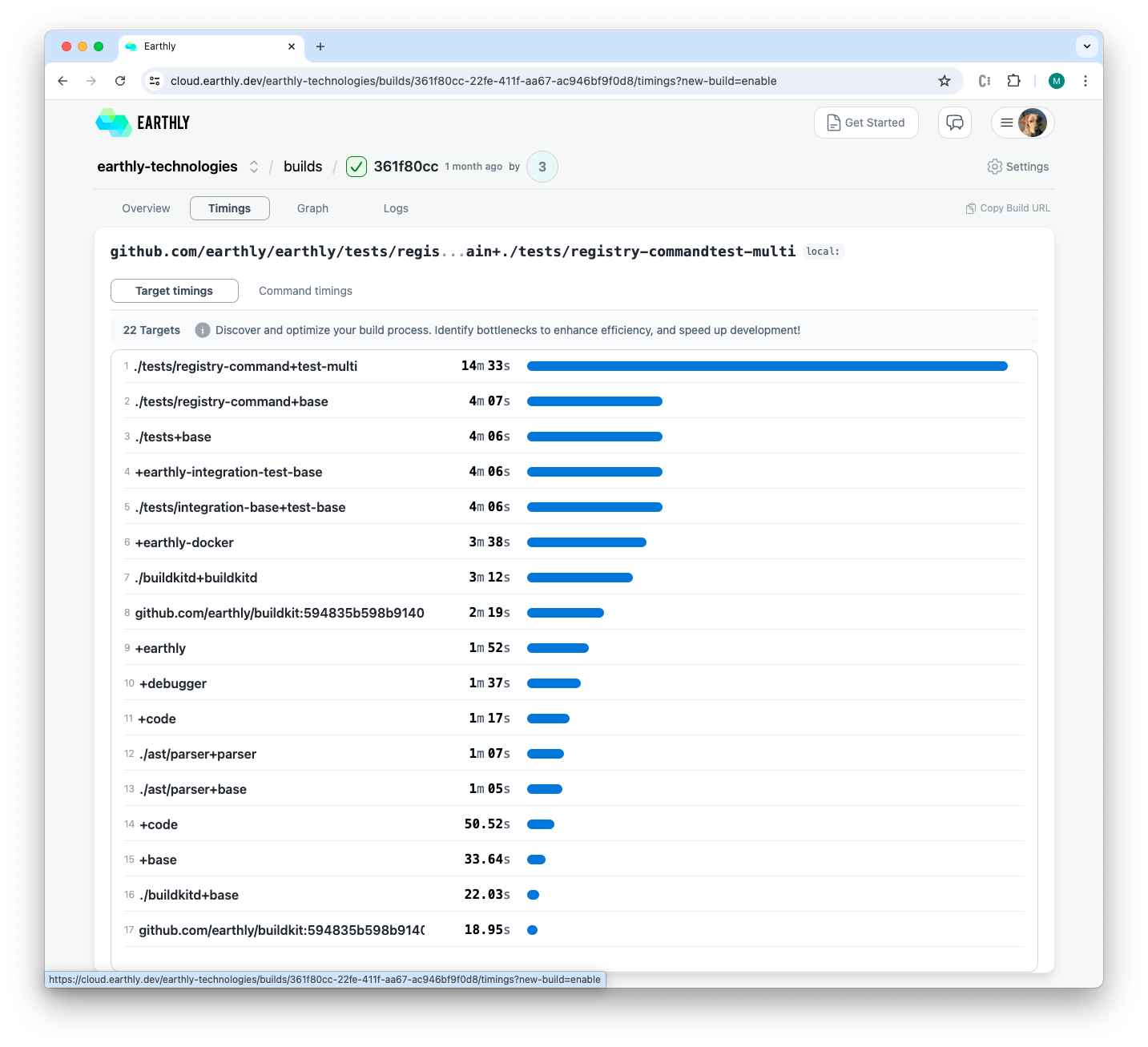
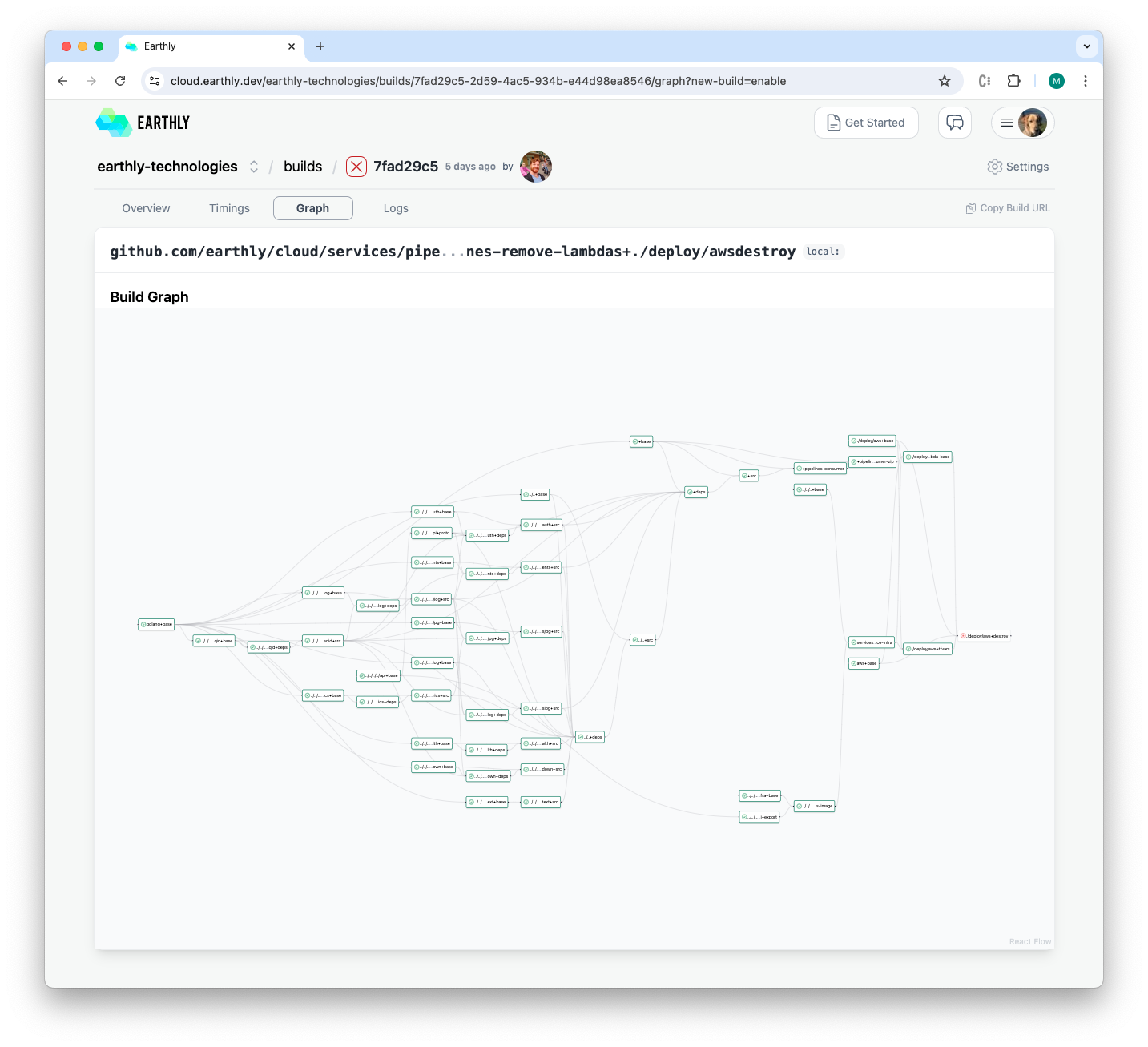
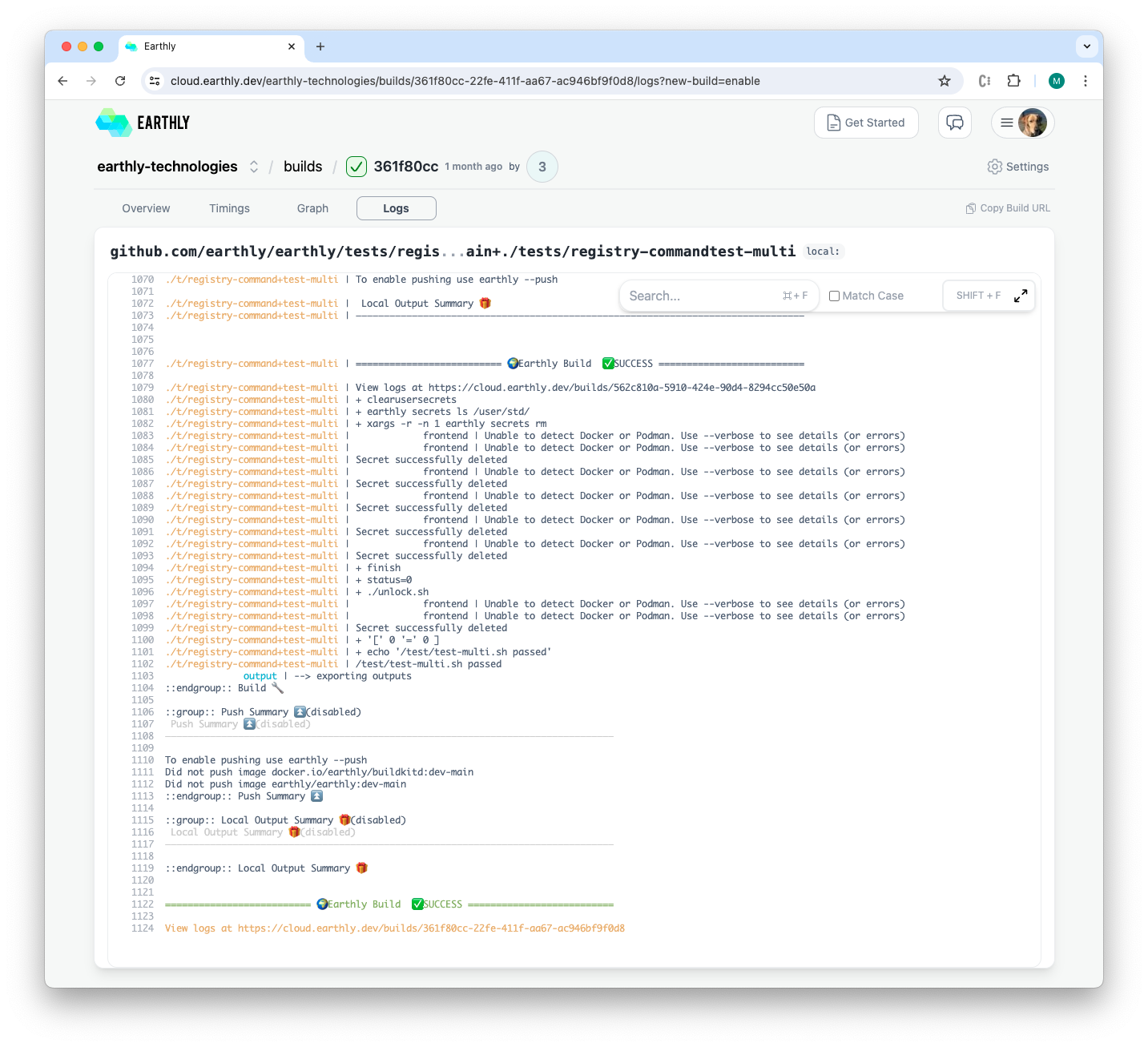
With logs alone, users could not see which targets were cached, how targets related, or where time was spent.
Approach
Replace the single logs view with multiple visualizations mapped to core user questions.
Solution
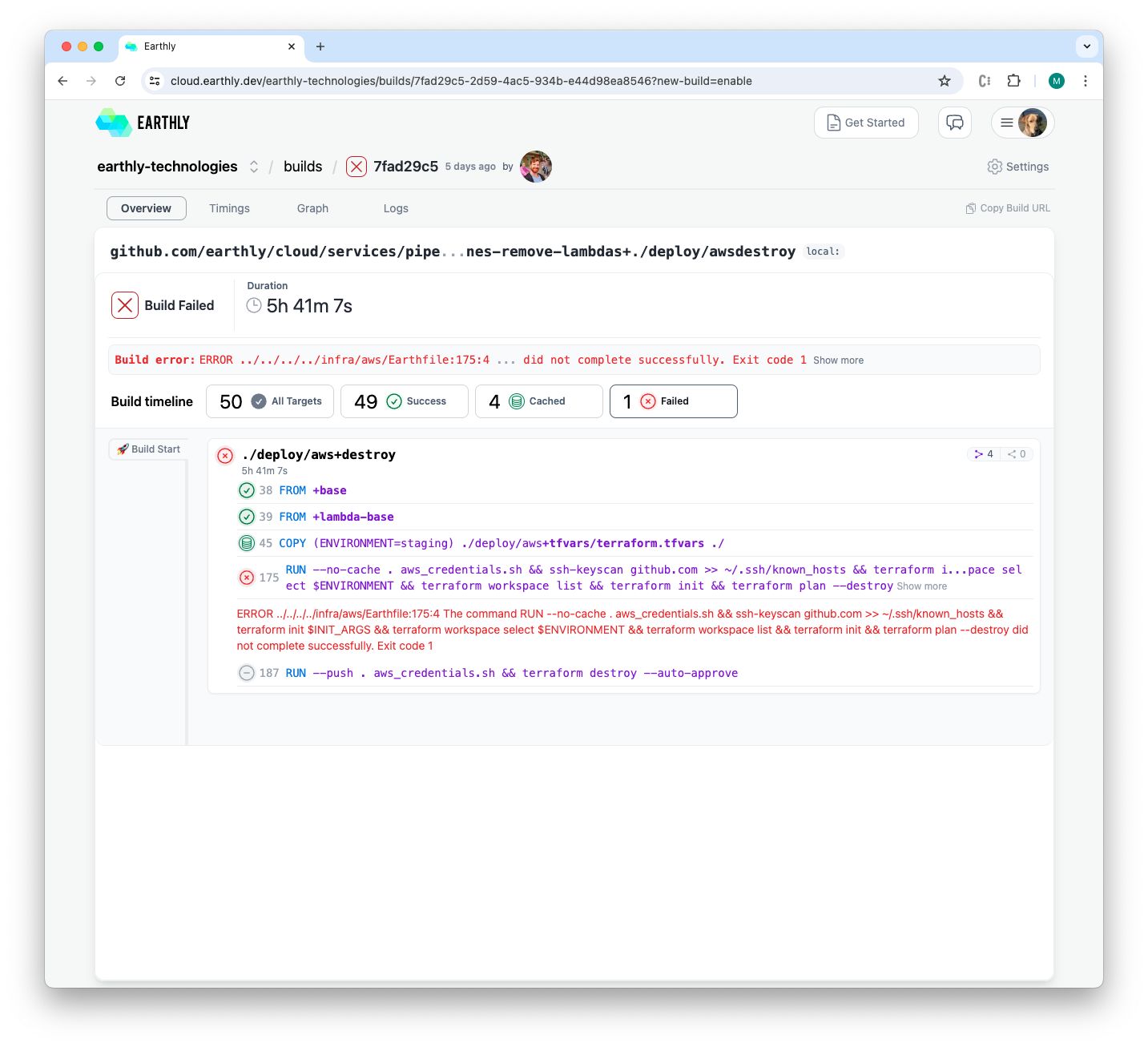
- Build timeline showing every target with status, caching state, and duration.
- Summary header with total targets, successes and failures, and cache hits.
- On failure, automatically select the failed target to reveal the error immediately.
- Interactive dependency graph with zoom and click-through to a target's detail page.
- Timing view that shows exactly how long each target took.
Outcome
Users could follow build progression, understand caching behavior, and navigate failures and dependencies quickly instead of scanning long logs.
Settings
Challenge
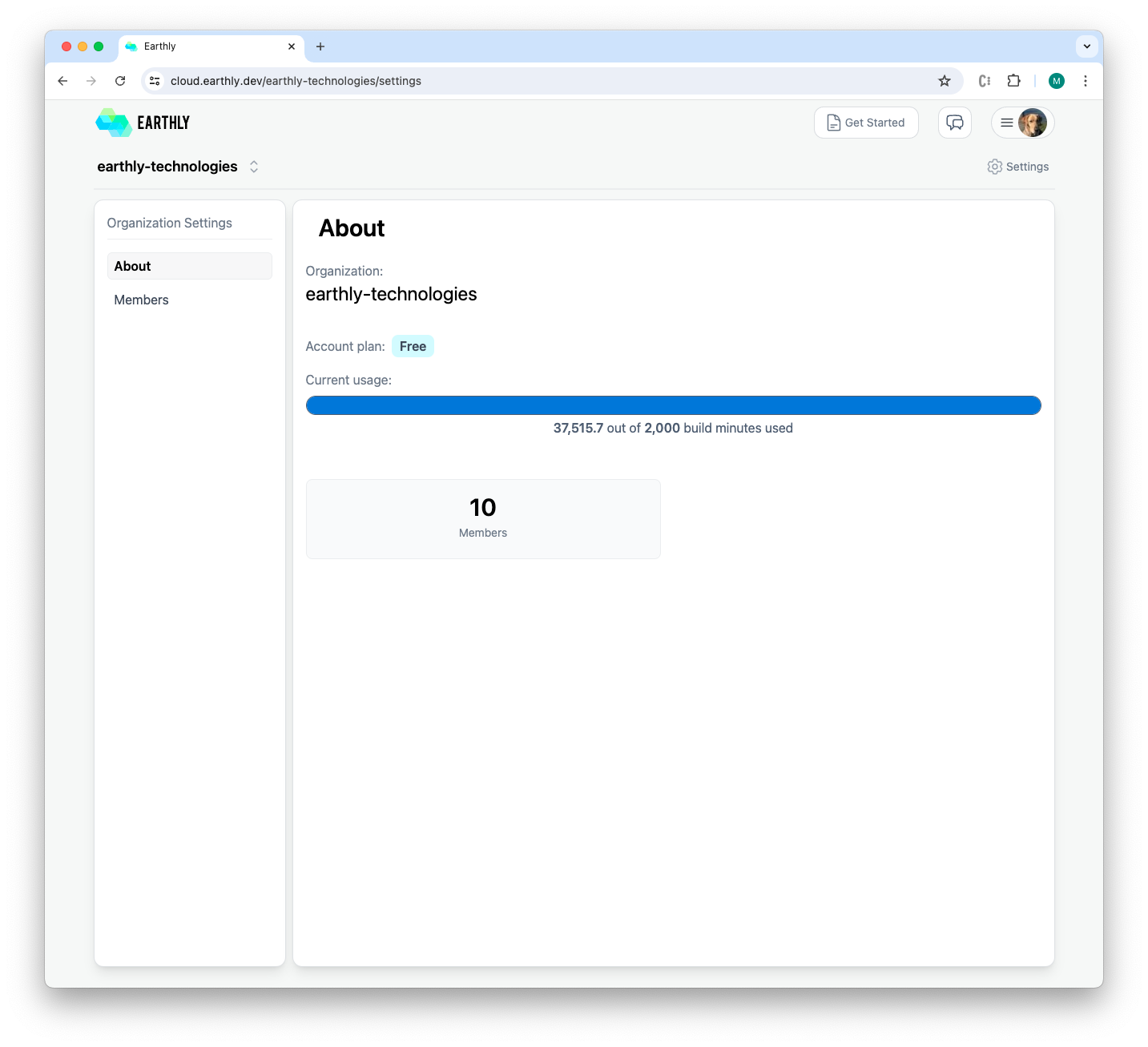
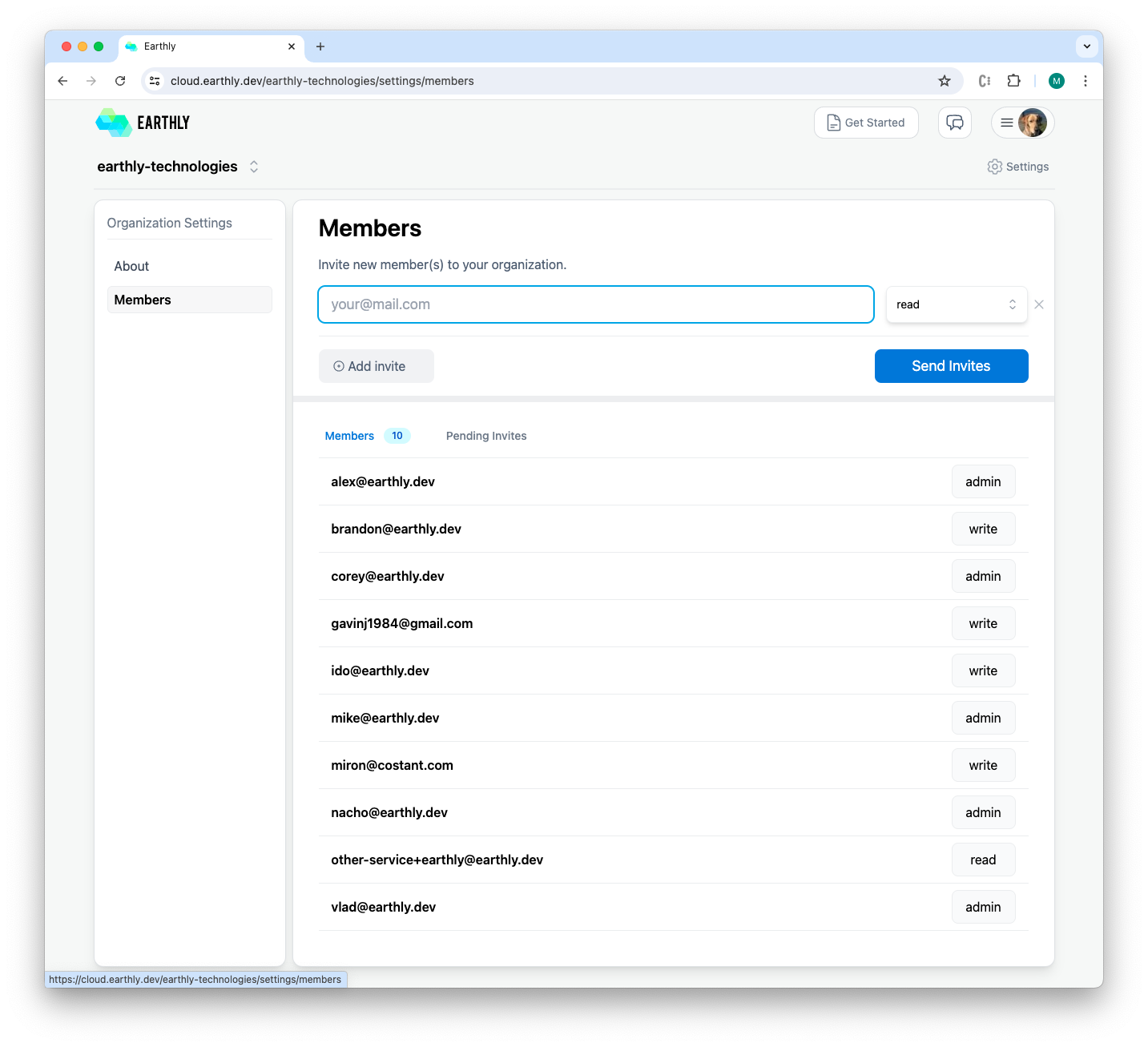
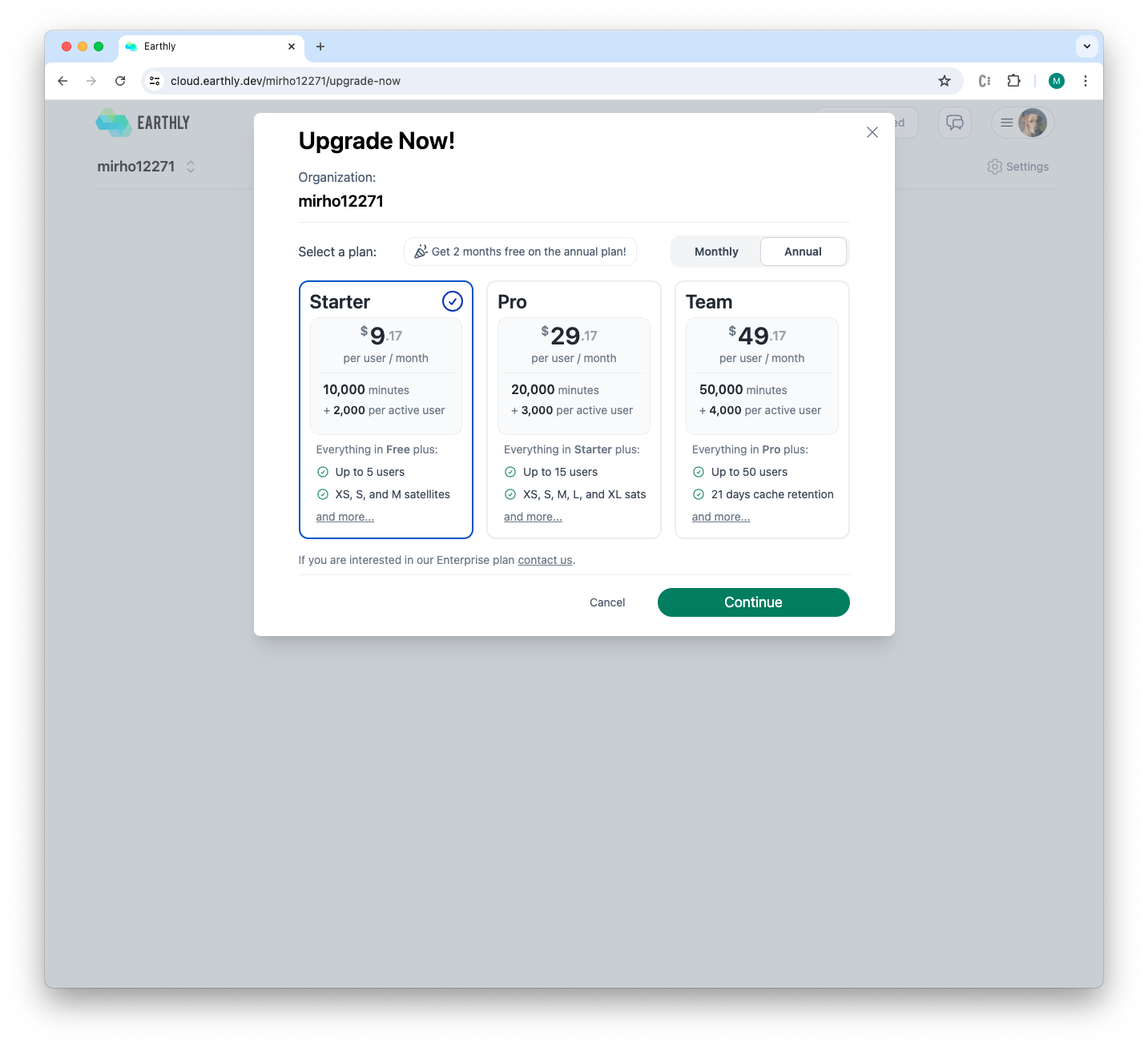
Organizations needed clear usage visibility, straightforward access management as teams grew, and a path to self-serve plans.
Approach
Keep configuration minimal but capable: clear usage, simple invitations with permissions, and an integrated upgrade path.
Solution
- Usage overview showing build minutes and member count at a glance.
- Members section to invite any number of users at once, set permissions per invite, and view current members and pending invites.
- Plans & billing: choose a plan and upgrade from trial through a guided flow.
Outcome
Provided a simple way to see usage, manage access, and upgrade plans when needed.